

Microsoft Project to Primavera P6 Conversion Services
Easily convert your existing schedules to Primavera P6
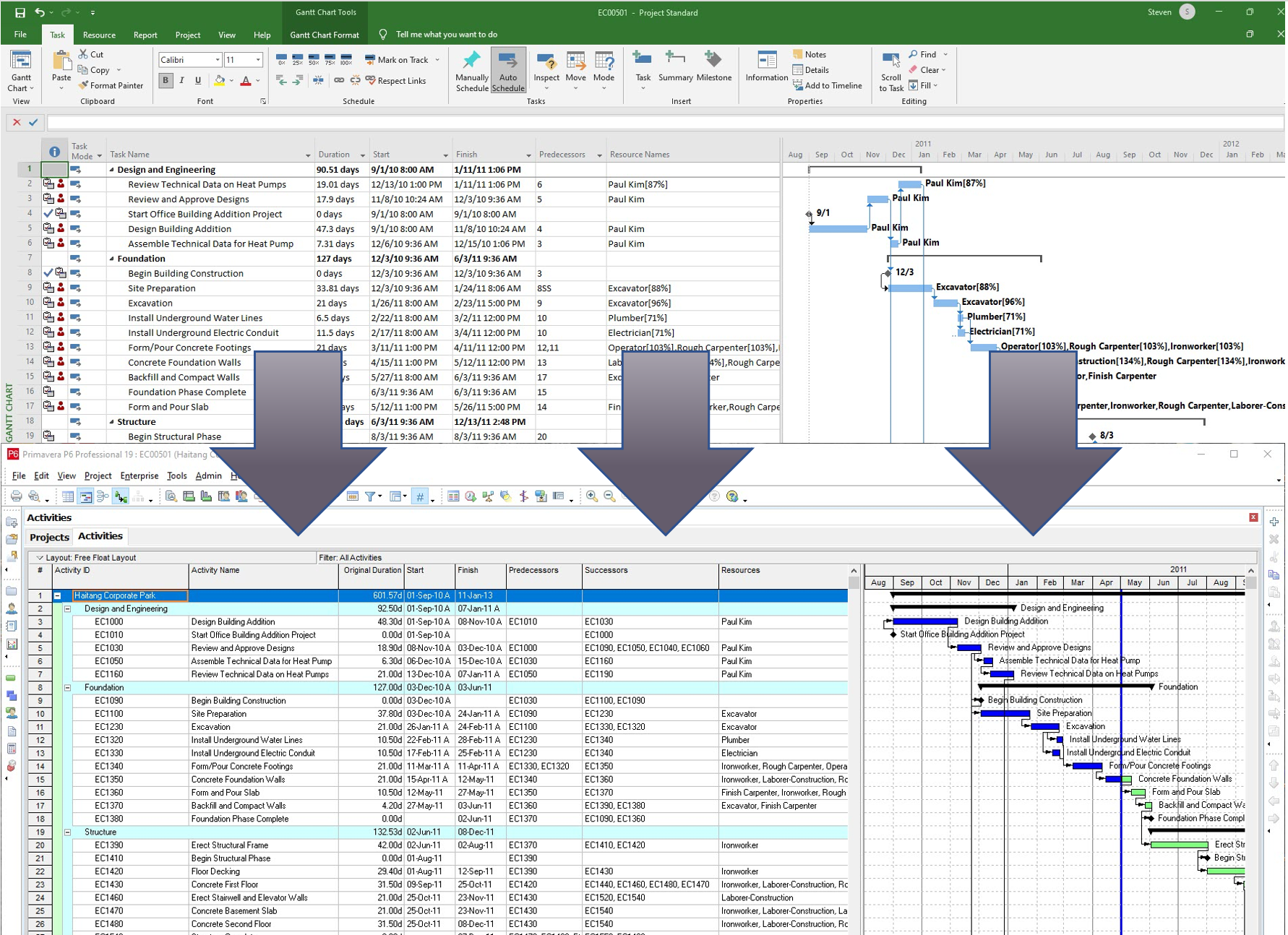 Whether you need a one-off Microsoft Project conversion to Primavera P6 or a major migration from one platform to the other, we have you covered.
Let’s say you’re bidding on a project that requires a Primavera P6 file. Or your client needs the .xer format for something. You’ve got the skills for project delivery but you don’t have the tools or skills handy to do the file conversion.
For one flat fee you can simply send in your file and our team will get to work on converting it. We validate the conversion and deliver you back a Primavera P6 file, including a .pdf showing the successful conversion.
We can usually turn these around by the next business day or possibly sooner depending on the urgency of your requirement.
How it works
With Ten Six’s Microsoft Project to Primavera P6 Conversion Service, you can now meet the contractual obligation to provide .xer files without having to purchase and learn an entirely new scheduling system.
Simply send us your Microsoft Project .mpp file (any version) and we will provide you with a validated P6 .XER or P6 .XML formatted file for any version of Oracle Primavera P6.
Our Primavera P6 experts will import it into Primavera P6, perform a line-by-line validation of the dates, durations, network logic and resources before sending you the P6 file for your client. You’ll also get a Gantt chart report so you can see exactly what your customer will see.
Validation also includes making corrections that are typically required due to philosophical differences between the two systems; particularly concerning the Indentation vs. WBS structure, milestone types and effort driven task types.
Prepare your files for conversion
There are differences between Microsoft Project and Primavera P6. For example, Primavera doesn’t like blank rows and summary tasks: some features are not supported – and there are additional features to take advantage of.
We suggest that you read our guide to help mitigate these differences and better prepare your Microsoft Project file for conversion.
Go here to read about this and download the guide: Microsoft Project to Primavera P6 Conversion Guidelines.

Perhaps you’re like Aegis Technologies: a firm that found more and more of its government work was requiring an Earned Value Management System (EVMS) in order to be contract compliant. They asked Ten Six to help set up an integrated tool (including Oracle Primavera P6 EPPM, Deltek Cobra, and Microsoft Project) demonstration to support a full EVMS. The goal was to deploy this integrated tool set to support improved project and EVM capabilities enabling Aegis to maintain contract compliance. Ten Six proved that the end-to-end tool capabilities would meet the requirements. After a successful demonstration to senior management, the team got the go ahead to proceed with a pilot.
3 Reasons to use our conversion services
Ten Six’s experienced consultants support many businesses with migrating their schedules to Primavera P6 – and that includes making sure no line of a schedule is lost. Whatever your reason for needing the Primavera files, we can make sure the whole process is hassle-free.
The benefits of using skilled consultants to handle your schedule conversion include:
1. The right approach
We will choose the right migration approach for your particular version of Microsoft Project and Oracle Primavera P6. Each version has subtle differences in the import and export processes.
2. A proven process
We’ve tried and tested our process for normalizing the activity, resource and calendar information prior to migration, avoiding common pitfalls and making sure your new schedule is perfect in every way. Our experienced consultants can easily convert your files, making sure that data maps appropriately for every part of your schedule.
3. Faster migration
We do this work all the time, so we can accelerate your process and make the experience smooth for everyone involved.
Don’t spend too much time and effort on migrating Microsoft Project data to Primavera P6 yourself, when it’s something we can make hassle-free for you. Let us show you how.
About us
We’ve been working with Oracle Primavera P6 and Microsoft Projects since 1999, so we know our way around both of these powerful project management tools.
Our team of experienced consultants has a long history of successfully applying Primavera P6 and Microsoft Project in real world situations like the kind of projects you do. We have a comprehensive framework that allows us to get to work quickly, and help your internal teams deliver for your clients.
We’re here to support you grow your business and win contracts with government, military and utility firms – and any other partner that requires your team to use earned value management tools and techniques.
Join other clients who have chosen Ten Six to help them achieve immediate productivity gains and bring their projects to successful completion.
FAQ
Can Microsoft Project open .xer files?
No. Microsoft Project cannot open .xer files, which is why you need to convert them.
What’s the file extension for Microsoft Project?
Microsoft Project files use the extension .mpp. When you are looking for your project schedule in your file list, that’s the extension to search for.
How do I convert .mpp to .xer?
Let us do it for you! Your .mpp file (Microsoft Project) uses slightly different ways of presenting tasks to how they need to appear in Oracle Primavera P6 (the .xer file). In particular, task indentation works differently. We can convert your files and validate them normally within one business day and we are far more reliable than using a converter online!